Wednesday, July 16, 2014

I imagine

I imagine by bizzibrains is a free interactive picturebook for preschoolers. Before reading the story, you have to build the characters. You get to choose hair, clothes and a face for a parent, a child, and the child's toy. And then you can save up to three sets of characters. The best part for us was using the iPad's camera to create the characters' faces. Autumn and I made silly faces, switched bodies so that she was the adult and I was the kid, and generally enjoyed ourselves with this. You also get to name the characters both in print and in the voiceover, so of course everyone ended up with names from Frozen or The Swan Princess.


Once you have designed the characters, they get inserted into an e-book. The story is simple: a parent is trying to work--and the term "work" is employed loosely here, as the parent figure is sometimes seen doing laundry, and sometimes sitting at a computer--but whatever the parent is doing, the child wants attention. The caretaker (in our case, Odette, with Autumn's face) tries various ways of occupying the child (Kristof, with my face)... a train set, a sandbox, arts and crafts... Finally, she sends the child to her room, where the kid stops whining, exercises her imagination, and begins to have fun with her toy doll.


I have minor quibbles with the app--for example, there doesn't seem to be any way to turn back a page--but overall, Autumn loves it. There is interaction on every page that is germane to the storyline. The text tracking matches the narration. And the story is cohesive, if slim.

Brooklyn looked over our shoulder briefly as we were playing, but she didn't get a chance to try the app out yet. I don't think it will hold a six-year-old's attention quite as long as it did the three-year-old's. She will enjoy making the characters too, but the story won't hold up for repeated tellings. But that is okay--this is a great app for younger kids. Critics like the educational columnist Annie Murphy Paul have criticized e-books for stunting children's imagination and not being easy to share (see her rant in the School Library Journal), but Autumn and I found this app an excellent vehicle for sharing and stimulating conversation. While we did talk about mechanics quite a bit like how to make the app work, we also discussed richer things, like what to draw on the arts and crafts page; when and where Autumn has made sand castles on the sandbox page; and what Autumn would play with her dolls if she was alone and amusing herself in her room.

In all, Autumn and I spent about half an hour with the app last night. She was engaged and talkative the entire time. Which is more than I can say for her behavior when we are reading some of her print books together. I firmly believe that e-books are not necessarily terrible for younger readers; the trick is to match the right book to the reader and to actively share the book together. I imagine makes that easy to do.

Saturday, May 24, 2014

Don't Let the Pigeon Run This App

Don't Let The Pigeon Run This App is on sale for $2.99! Whoo hoo!


I've wanted this app forever (yes, me! My kids love the pigeon, but didn't know about the app until today). Mo Willems is a family favorite. When we lived in Brooklyn, Chris and I used to frequent the very laundromat where Trixie lost her Knuffle Bunny. Our kids now love the Knuffle Bunny books, the Elephant and Piggie series, Goldilocks and the Three Dinosaurs... but they especially enjoy the Pigeon books.

So ever since I heard that there was a Pigeon app, with Mo Willems' voice/creative involvement, I've been interested. But the app is normally priced at $5.99! And basically, it's just a big game of Mad Libs. The bus driver asks you a series of questions -- what's something you like? the name of someone you know?, what's your favorite number?, what's something smelly? -- then a story starring the pigeon is generated. This is the same basic pigeon story we know and love: he wants something (whatever you named) that he can't have, so he tries begging (the person you named would give it to him...!), making deals, getting angry, etc.


Of course he can't have whatever it is, and the fun is in watching the very expressive pigeon learn to deal with his frustration. There are three levels to the "Mad Libs" fun: on Egg, you don't contribute any answers at all, just shake the iPad and the story changes. On Chick, you make some choices. But Big Pigeon is where you get to record your own voice in the story. My 6-year-old was easily able to figure out how to work the app herself. You can save 6 different versions of the Pigeon story in your Favorite Stories vault, but there is no way to export the stories (due to copyright concerns, I imagine).

After going through the story two or three times with the girls I got pretty bored. The story is essentially the same each time. On the other hand, they showed no signs of boredom; they were very amused with themselves for thinking of "poop" as a smelly thing, and "Marcy Zipke" as the name of someone they know. What saved the app for me was the Draw the Pigeon extra. In this section Mo Willems gives a video tutorial on how to draw the pigeon, with step-by-step line assistance that fades away after you draw your lines. He is hilarious in his instructions, making helpful suggestions such as when you make the two lines down for the neck, it really helps to say "Nnnnnneeeeeeerrrrr, nnnnnneeeeerrrrrrr." And it really works. Below is Brooklyn's (my 6-year-old's) pigeon!:


In sum, this is a pretty fun app. There's no way it's worth $5.99. But if you get it this weekend, while it's on sale...? Well, Autumn actually let me TURN OFF Frozen so that she could play this with us for a while. I'd say that is worth a few bucks.


Sunday, April 13, 2014

Even Monsters Are Shy

Even Monsters Are Shy by Busy Bee Studios is the second book in the series, with Even Monsters Get Sick. Both books feature young boys and their big loveable monster friends. The plot of Even Monsters Are Shy is that Ben gets circus tickets and a monster named Gurk for his birthday, but to Ben's surprise, Gurk is no fun at all. He runs or hides from everyone they meet, including Zub, the monster from Even Monsters Get Sick, in a cameo appearance (which Brooklyn found hysterical).
Ben suspects that Gurk might be sick, but it turns out that Gurk is shy. Ben rushes to help Gurk overcome his shyness in time for the circus. He gives the monster explicit lessons in making friends.
When the lessons don't work, Ben reluctantly gives his circus tickets away. Gurk feels so terrible at having made Ben miss the circus, that he screws up his courage to make not just one new friend, but LOTS of new monster friends and put on his own monster circus just for Ben.

There are games and interactive elements throughout Even Monsters Are Shy. Most of the hotspots are small, quick little interruptions that are germane to the plot and generally add to a beginning reader's comprehension without stopping the flow of the story for too long. For example, on the page above, where Ben begins Gurk's lessons, he tells him that Step 1 is to smile. The child can then use a finger to drag the watermelon slices into Gurk's mouth and the orange slices into Ben's mouth to give them big silly grins. Unfortunately, there is also a penguin hidden in the freezer and the blender whirs and spins when taps. These things have nothing to do with the shyness lessons, and do interrupt the flow of the story. From a literacy standpoint, beginning readers learn nothing from hotspots like turning on the blender; whereas making Gurk smile is the lesson of the page.

Other pages are more game-like, such as the two pictured above, from Gurk's monster circus. On the top page, the reader controls the marshmallow cannon to try to shoot them at the moving targets, or into the monster's mouth. On the bottom, Gurk is riding a unicycle on the high-wire while the reader piles monsters on either end of his balance stick. While these games are probably not best practices in terms of learning to read, Brooklyn really enjoyed them. And the storyline is simple enough that she had no trouble keeping things straight... In point of fact, she set me straight on a plot point: at one point Ben and Gurk are playing happily in the backyard until, Ben says, his sister came out. The second time we read the book together, I commented to Brooklyn that that wasn't very nice--why doesn't Ben just invite his sister to play with them? Brooklyn astutely pointed out to me that the problem wasn't that Ben didn't want her to play, it was that Gurk was too shy to play with her. Ah ha. There is nothing like having a 5-year-old explain picture books to you to make you feel simultaneously proud and small.
In sum, the message in the book is that there is no reason to be shy--everyone can learn to make friends. That is a valuable lesson for all to learn. And the book is entertaining as well as engaging. This series feels like ebooks made for a brand new medium, rather than print books that were re-engineered for the iPad. To me, the difference is that they are much more natural... the story flows and the games/hotspots/sound effects fit in without being immensely distracting. Brooklyn and I read Even Monsters Are Shy twice together, and she must have read it on her own this week as well, since I found the app open when I came back to the iPad later. Three times in one week can only mean she likes it.


Saturday, March 29, 2014

Love


I had to get this ebook for Brooklyn, based on the title alone. Brooklyn routinely names her Barbie dolls things like "Heart Love." And then when Digital Storytime gave Love such a rave review, my curiosity was piqued. The publishers, Nino Studios, were nice enough to give us a free review copy for this blog. So the girls and I eagerly sat down to read Love together. And it was like no other ebook we had ever read.


Love, the book, is by an Italian author, Gian Berto Vanni. It was first published in the US in 1964.  Love, the app, maintains the original's look and style. The texture of the screen will fool you into thinking you might actually get paper cuts swiping to advance the story. Every page is full of peepholes and collage elements. The book itself is gorgeous; the best part though, is that the app developers have gone out of their way to do justice to this beautiful story book. Instead of a traditional ebook, they have created something less linear. It is not always obvious where to swipe, or where the words will next appear. Pages don't so much as turn, as fall away, or peel back piece by piece. There is stop motion animation and ambient music throughout. Here is a one-minute video trailer that gives the feel of the music and animation:

The story is dark and twisty. It feels, frankly, like it was written in another time/place (e.g., Europe in the 1960s?). The basic story is this: A little girl who is described as "not so pretty" loses her parents at age nine. She goes to live in an orphanage where she is unloved. She acts out and gets in trouble. In the end, however, she communes with nature and finds a way to connect with the people around her. The story is sparse and somewhat shocking to modern sensibilities; especially since a happy ending is not spelled out for our protagonist. As sensitive as she sometimes is though, Brooklyn took it in stride. We both were somewhat surprised that the book ended when it did. One of the problems with innovative interactive storybook apps like this one is that the reader has no sense of length. Had we been reading the print book, we would have known we were on the last page.
There is no "read-to-me" narration available with this ebook, but that is okay. This is a book better suited to older readers. Brooklyn and I enjoyed it together. Although Autumn initially sat down with us, she quickly wandered away. Read it with your children, or give it to children old enough to read it themselves. One thing I wish the app did have was a way to navigate through to a certain part a little bit more quickly... It is maddening to try to re-read a particular page in the middle of the book without a page guide to let you jump in to the middle. But that minor quibble aside, this is a beautiful, well-constructed and thought provoking ebook that I expect my kids to grow into.

Sunday, March 16, 2014

Hocus Pocus Alfie Atkins


Alfie Atkins is building a treehouse so that he can reach a gift that his imaginary friend, Malcolm, left for him on a cloud. You can help him by finding/earning boards for him. If this sounds weird to you, that's okay--it struck me as a little odd too. Hocus Pocus Alfie Atkins is based on the movie version of a beloved Swedish book series. I'm guessing the whole premise might have made more sense if we had already read the books. But that's okay--a little oddness never hurt anyone. And, of course, Brooklyn thought nothing of it anyway.
We downloaded the free version with limited content (which actually explains the premise better) and she was immediately smitten. Alfie is a lovable character, with lots of interesting friends, and there are nine or ten mini-games to play within this app. I did, in the end, shell out $3.99 for the full version of the app, because Brooklyn took me on a tour of the free version and showed me all the things she and Alfie do together and the things she wanted to do. She was passionate and focused, but more importantly, I was really impressed with her navigation skills: she was clicking all over that app, as if she had designed it... First to the game to show me how to play, then out of the game to see what reward she had earned. Back to the treehouse to see how to build/decorate with her reward, and then over to the park where Alfie was singing and dancing with his friends. When I tried to do it later, it took me AGES to figure it all out.

I see multiple benefits to letting my daughters play with an app like this: first, as just mentioned, there is their technological know-how and ease with computers. There is no realm of society or job market in which my girls won't need computer skills. As she was playing today, I could see her learning. For example, she kept asking me where specific letters are: "Mom! Where's the 'P'?!" I didn't need to think about it: "Top row, on the right." "Where's the 'V'?" "Bottom row, middle..." Very soon--much sooner than I needed it--she is going to need at least that level of digital expertise. The more she plays around, the more comfortable she gets.

Another thing I like about this app are the mini-games offered. There are a nice variety of skills practiced in each of these, from memory to fine-motor to rhythm. Some of the games are open-ended and encourage creativity, like Dance, in which Alfie and his friends move to either a pre-recorded rhythm or to one you provide. Brooklyn, naturally, chose to sing a song of her own creating into the iPad microphone. Treasure Hunt is a concentration game in which you are shown where some bits of treasure and some trash ("rubbish," in the app's British-English) is buried and then it is covered up again. You take turns, playing against either one of Alfie's friends or one of your real friends, trying to find the treasure again. Cook is just like any of the ever-popular food preparation apps that kids this age find so fascinating... Alfie is making stew for his dad. You choose the ingredients, chop them up, add them to the pot, season it just right (careful not to add the insects, or Dad will pronounce it, "... Interesting...") and then ladle it into bowls without spilling any on the table.


The pace and narration of Hocus Pocus Alfie Atkins is just right. When you get something wrong, he matter-of-factly tells you so, without talking down or saying anything cutesy. If you spill some stew onto the table while ladling it into the bowls, Dad's voice says, "Whoops, you spilled a little. Careful, now!" You can do any of the games over again, or you always have the choice to move on to a different game.

This is a nice app for preschoolers and kindergartners. I think mine will come back to it again and again. Best of all, there is a reset button in the settings, so I can tear down the treehouse once Brooklyn gets to the secret gift in the sky. Then she (or perhaps her sister) can start all over again!

Wednesday, December 4, 2013

Endless Alphabet

This app drives me crazy. It has recently become my two-year-old's go-to app; it wins awards left and right; and friends recommend it to me all the time. And yet, from a literacy point of view, it's pretty terrible. There is so much to like about it, that I feel bad criticizing the flaws in the literacy learning. When I talk to other friends with two-year-olds who adore Endless Alphabet as much as my daughter does, it feels like splitting hairs to point out that in many instances the letters make sounds they don't actually make in the context of that word. Or that "gargantuan" is a ridiculous vocabulary word for our toddlers to be practicing. Because what does it matter, really, when we've found an app that holds the two-year-olds' attention spans for longer than five minutes at a stretch? And one that encourages the kids to practice letter names and learn new words at the same time? It's gold... right?


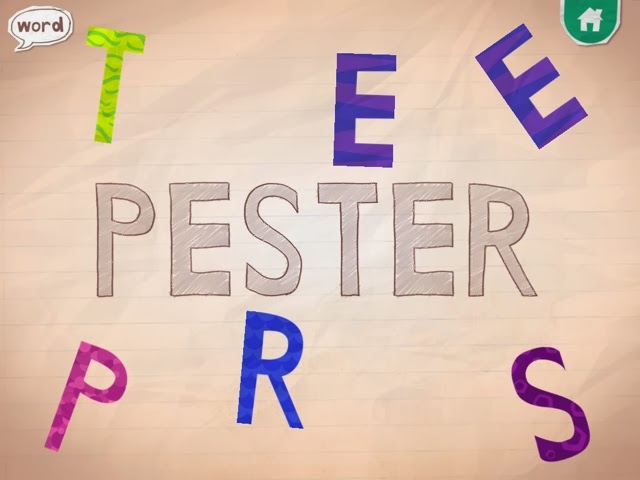
Endless Alphabet opens with a parade of adorable monsters playing musical instruments. You then choose from a variety of continuously-updated words and a monster scatters the letters from the word. Your job is to put the letters back into their proper place. As you drag each letter into place, the letter says its most common sound (although NOT necessarily the sound it makes within the word; for example, the letter e always says "eh," even though in reality it is silent in many of the words, such as "dye"). Once clicked into place, the letter says its name. Every time Autumn plays with this app she editorializes as well: /a/, /a/, /a/, A "... for Autumn!"  buh, buh, buh, B ".... for Brooklyn, and there are two of them!" " V ... Vivian starts with V. My friend, Vivian! She starts with V!"  


Please note that in the letter A example above, the word could have been "musician." Yes, Autumn has learned that the letter A is for Autumn. And the reading teacher in me cringes when she says, aa, aa, Autumn. But that part is not the app developers' fault; after all, they don't know my daughter's name. They do, however, know their own words. And the sound /a/ (as in "apple") is very hard to hear in the word "musician." If they had consulted a literacy expert in the development of this app, they would have been told that the letters should make the sounds that they make within the actual word

Another problem is the pronunciation of some of the sounds themselves. The first, most essential, rule in making a phonics app is to make sure that there is no distortion in the pronunciation of the stop sounds (letters like B and D, which have sounds you can only say quickly and then you have to stop. As opposed to M and N, which are continuants: you can say their sounds as long as you have the breath to hold it.) In Endless Alphabet, monster voices make all of the sounds. Which is cute, but the letter sounds come out in deep, guttural voices, sounding like "BUH, BUH, BUH." Worse, if you hold your finger down on the letter B, the "uh" sound gets stretched out even further, so that it sounds like "buuuuuuh." This is nothing like what the letter sounds like within the word: NIBUUUUUUHLE? 


After the word is built, the monsters return and act out the meaning of the word. Some of the words strike me as more interesting / appropriate than others for the youngest learners, in terms of the vocabulary learning that toddlers should be doing, but Autumn's decision-making process is always inscrutable.

The companion app to Endless Alphabet is Endless Reader. That one looks and feels almost exactly the same as Endless ABC (and is made by the same folks), but the words are smaller. Some recent words I saw include "ball," "cake" and "eat," and they get used in a sentence during the definition portion. Originator calls these words "sight words," even though they are phonetically regular, and clearly thinks that they are teaching kids to read with this app. Of course, this app has all the same problems outlined above (the A in "eat" does not make an /a/ sound!) They have recently started charging for many of the words in the app, and I say good riddance to those words. My kids know they are not allowed to touch anything with a lock on it. These apps have so much potential. It is a pity that they did not consult with a literacy expert.

It is probably worth noting here that I am the only person on the Internet critizing these apps. Do a quick Google search of the reviews of Endless Alphabet and you will see only raves... "Wit and whimsy," "charming," and "surprisingly sophisticated" are just some of the words that pop up. And everyone's kids are apparently addicted. Resistance is futile. Those darn monsters are just too cute.

Sunday, November 24, 2013

Sky Fish Phonics


Sky Fish Phonics is the first phonics app both my kindergartner and I love. It feels like a fast-paced video game with sharks to dodge and CVC words to decode. First you choose a fish to represent yourself, then you begin a journey through the sky,  shooting from pod to pod avoiding the poisonous sharks. As you go you have the opportunity to collect new costumes and to rack up points by collecting stars. Every so often you also have to answer a multiple choice phonics question to advance to the next pod. For example, change "jet" into "net." JET -> _ET with the choice of three  letters you can click on to hear their sounds.
Costumes include shark, princess, cowboy, ninja, and more.
The game is smart, in that it adjusts to the student's level of play.  The level of the phonics questions adjusts depending on how many you get correct at each level; and there is a Progress Dashboard for monitoring how a child is doing. While Brooklyn's phonic skills are quite good, her executive functioning skills (impulse control, attention and planning) are not as good. When she gets frustrated with this game, it is usually because her fish gets fried in a trap. But the rewards are worth it.

An early level

A middle level


She reports that "It's fun because you might get shot, and then you have to start over. But you might get costumes, and sometimes it's the costumes you already have, but sometimes it's your favorite costume." When asked about the reading part of the game, she answered that she "just knows how to do that," because "she's in kindergarten."

We love almost everything about this game. I think the practice with executive functions and dealing with frustrations is just as valuable for Brooklyn as the phonics work. I hope in the future that the app developer releases more advanced levels with blends and digraphs to decode and substitute.